Back to Help Center

Equipment Guide

How to use massage chairs, TV, and other devices

바디프랜드 팔콘 사용법

전원 켜기

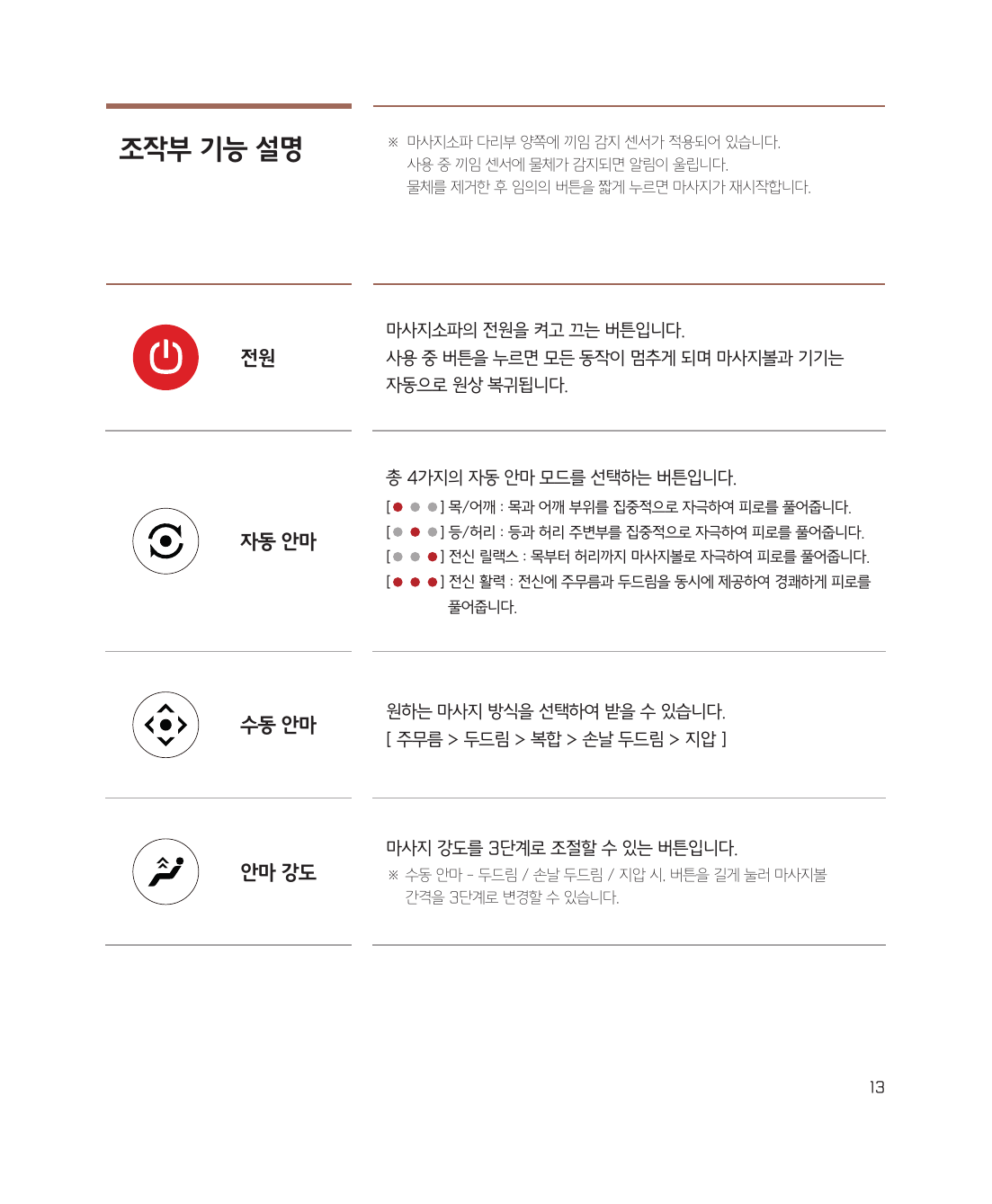
내측키(팔걸이 안쪽)에서 전원 버튼길게 누르면 전원이 켜집니다.


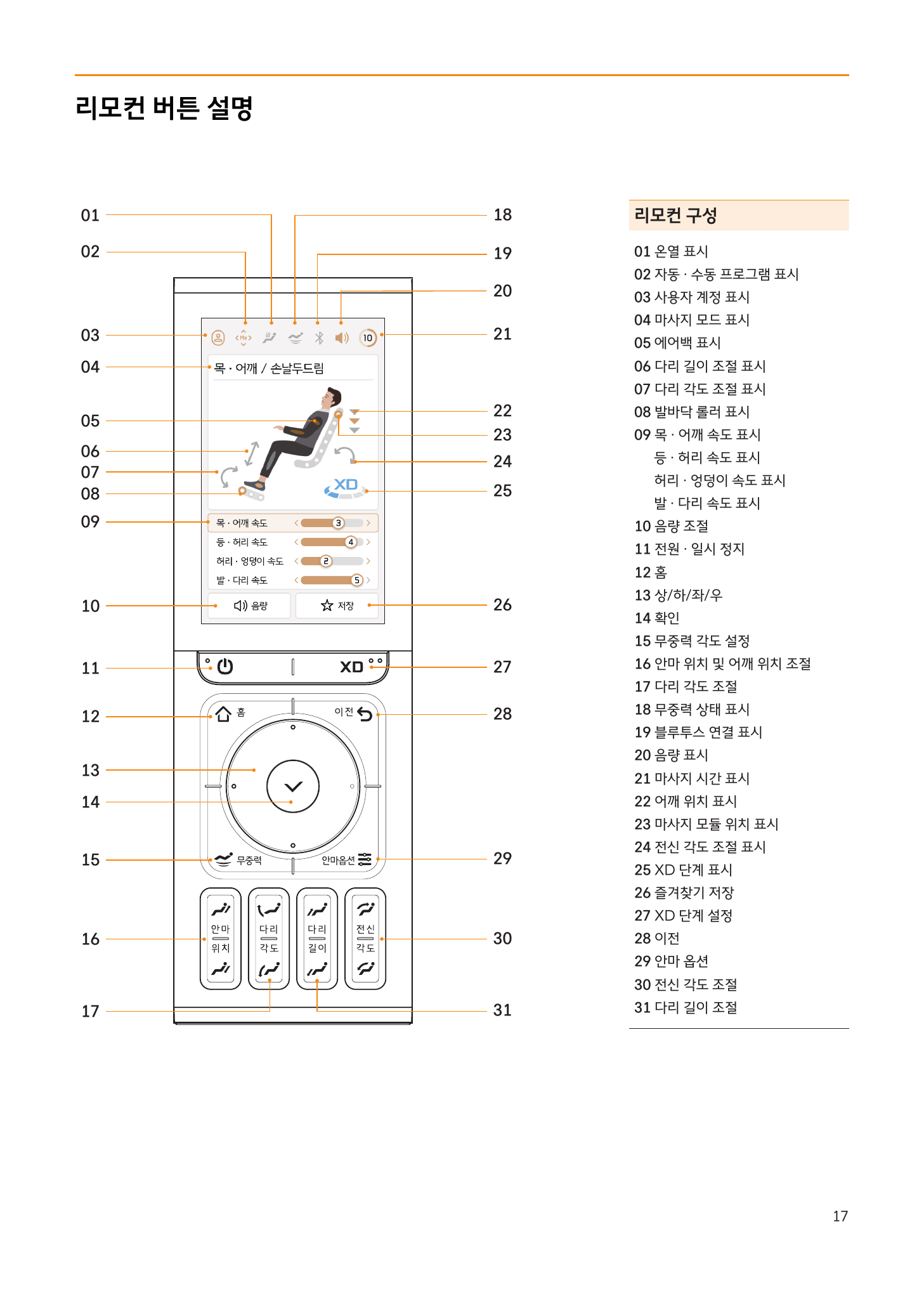
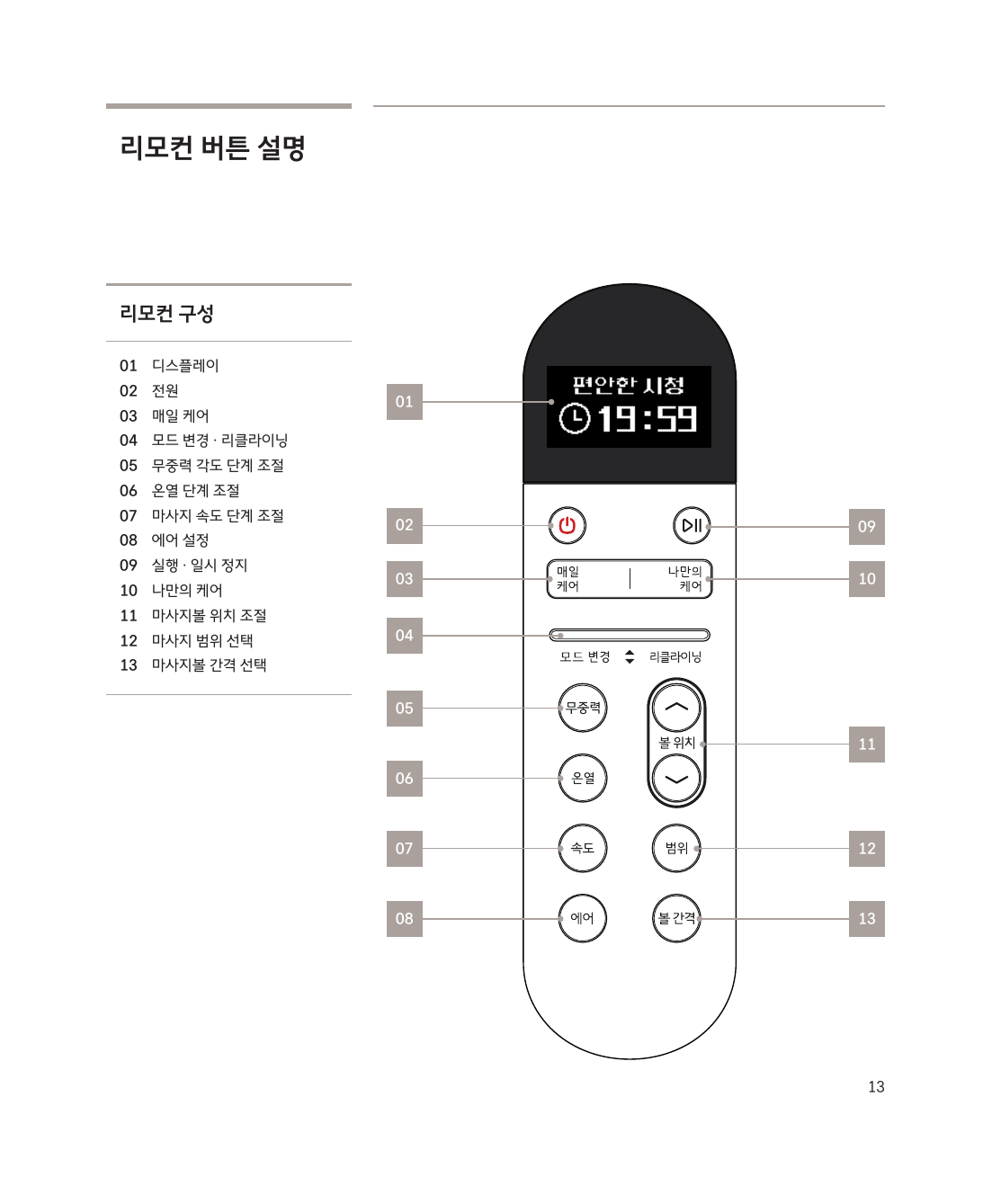
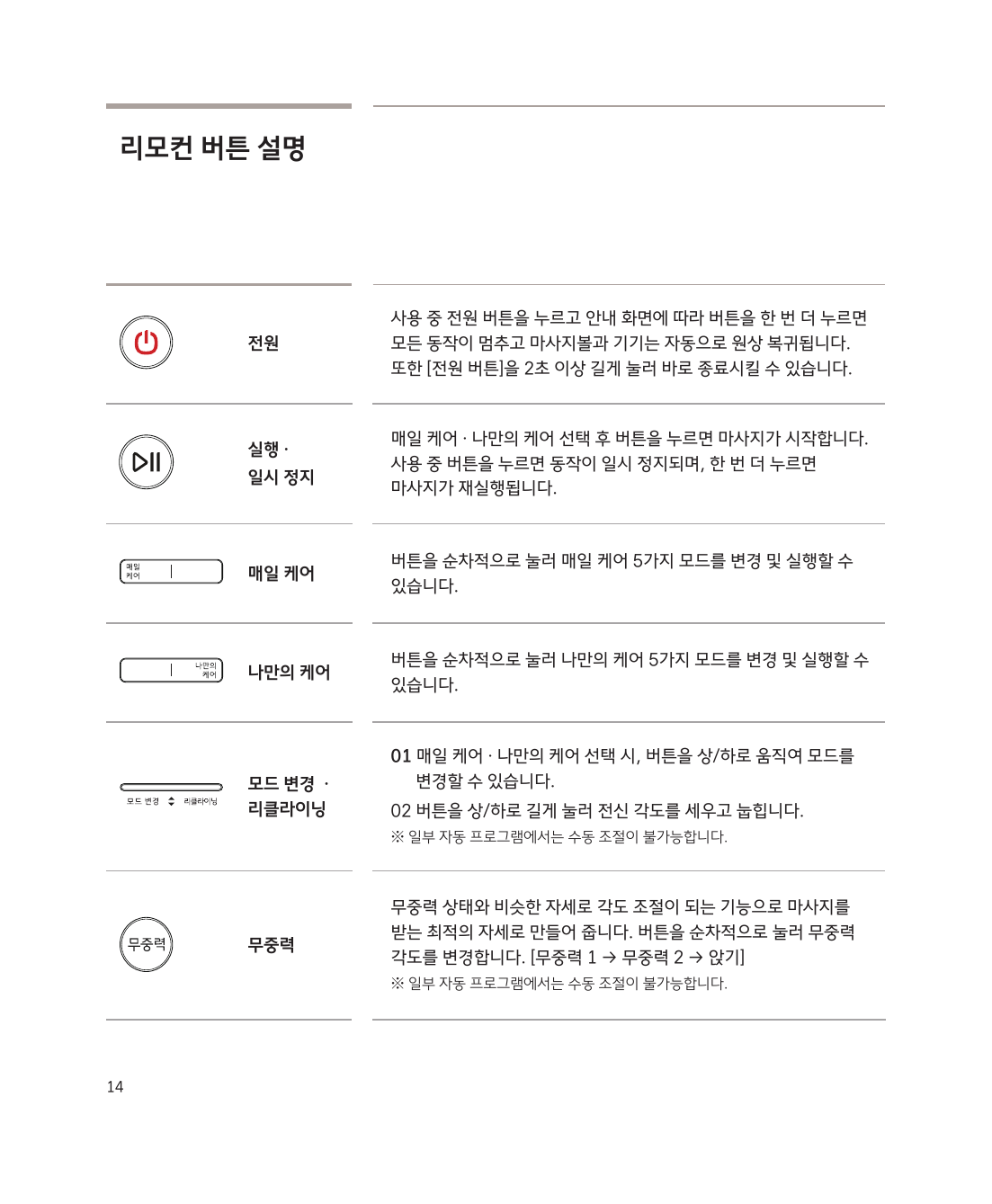
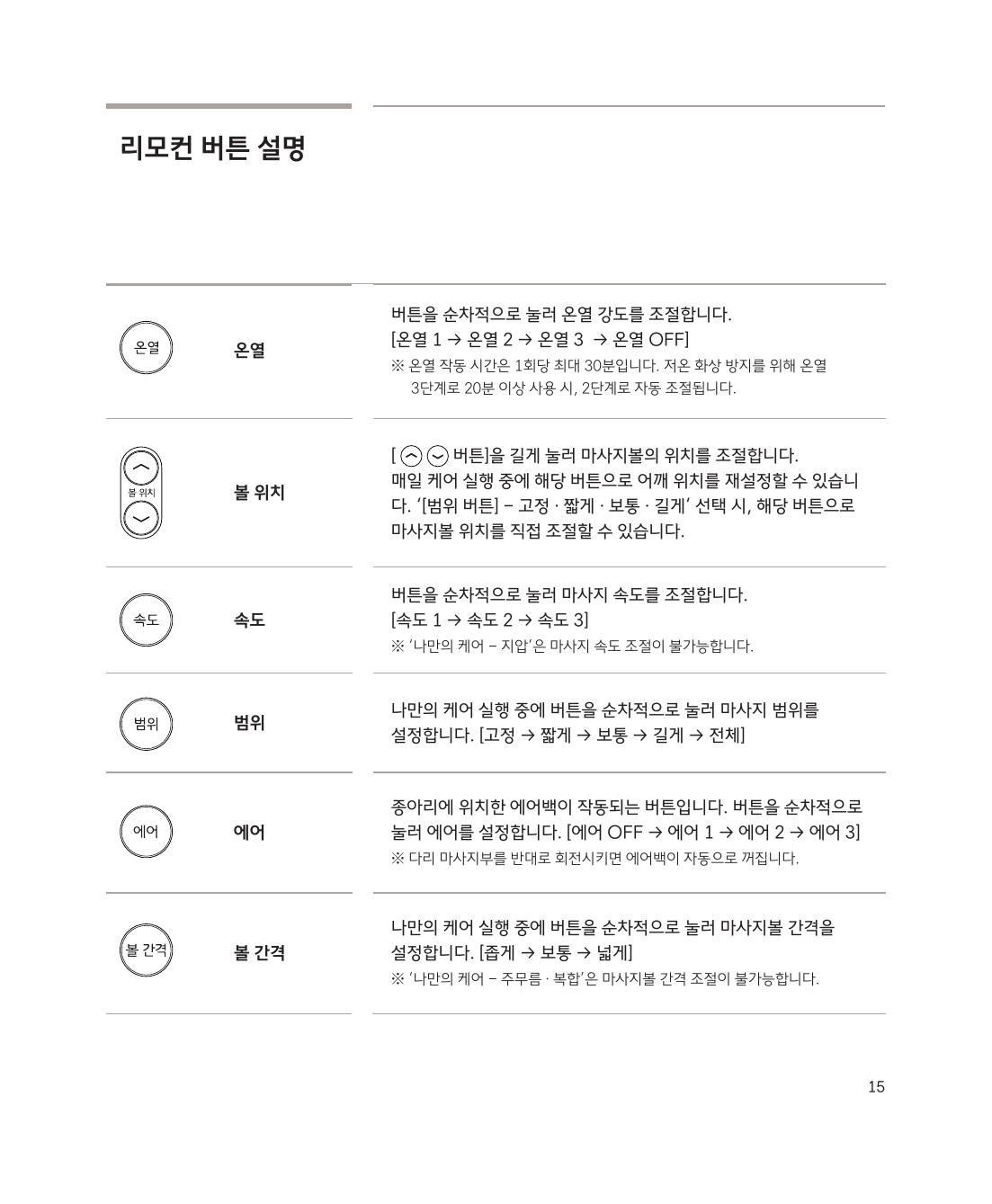
리모컨 구성

리모컨 버튼 구성


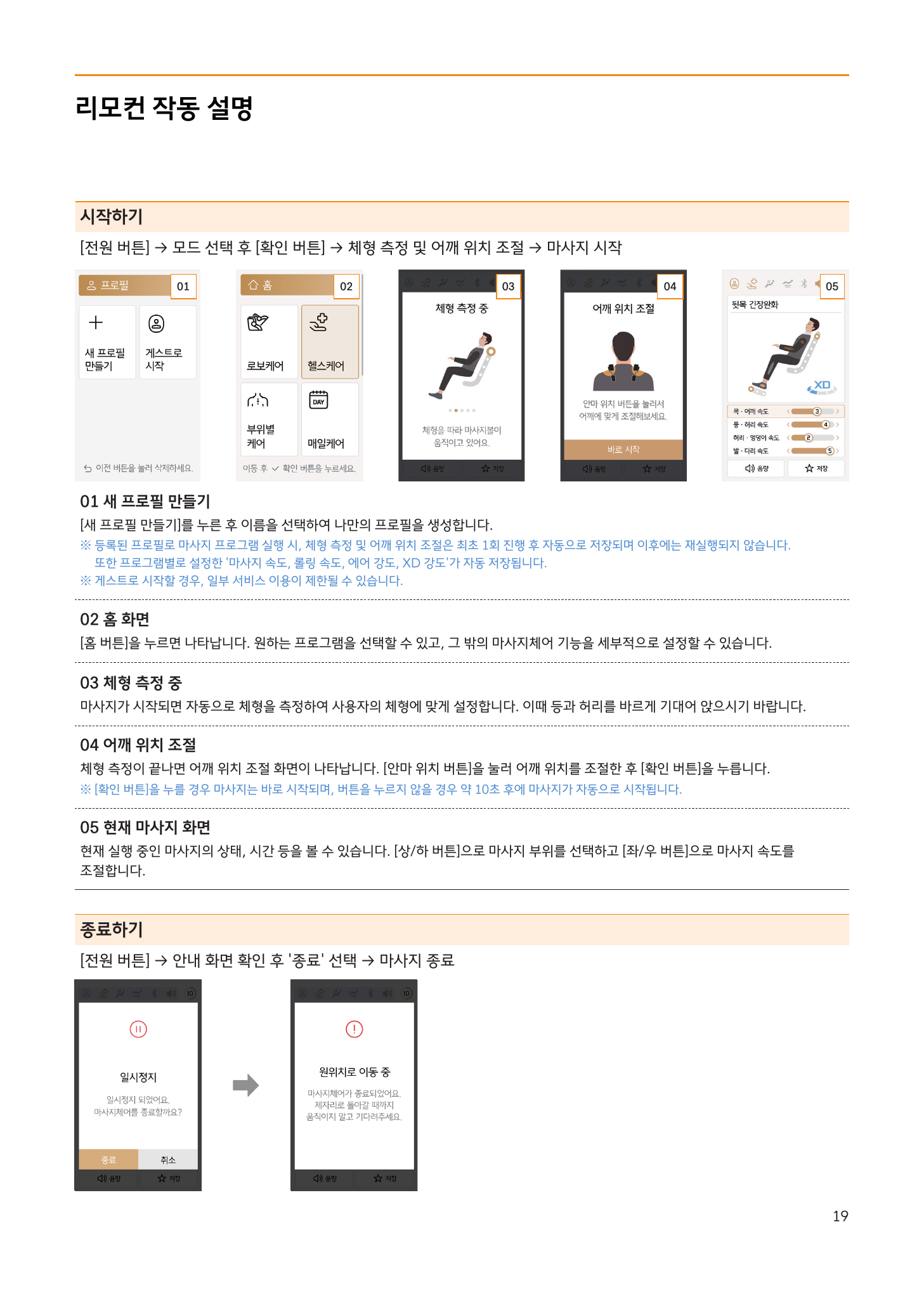
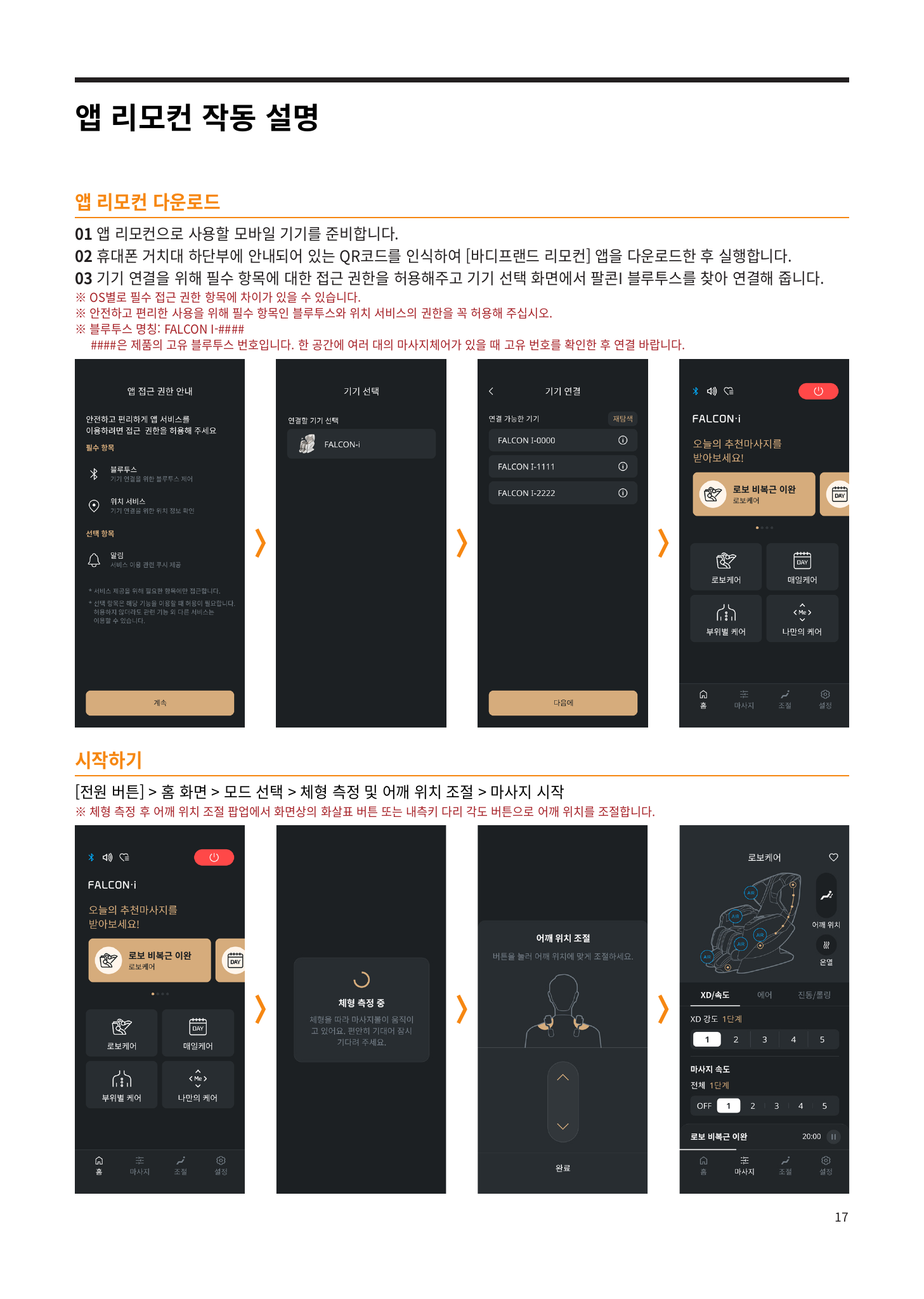
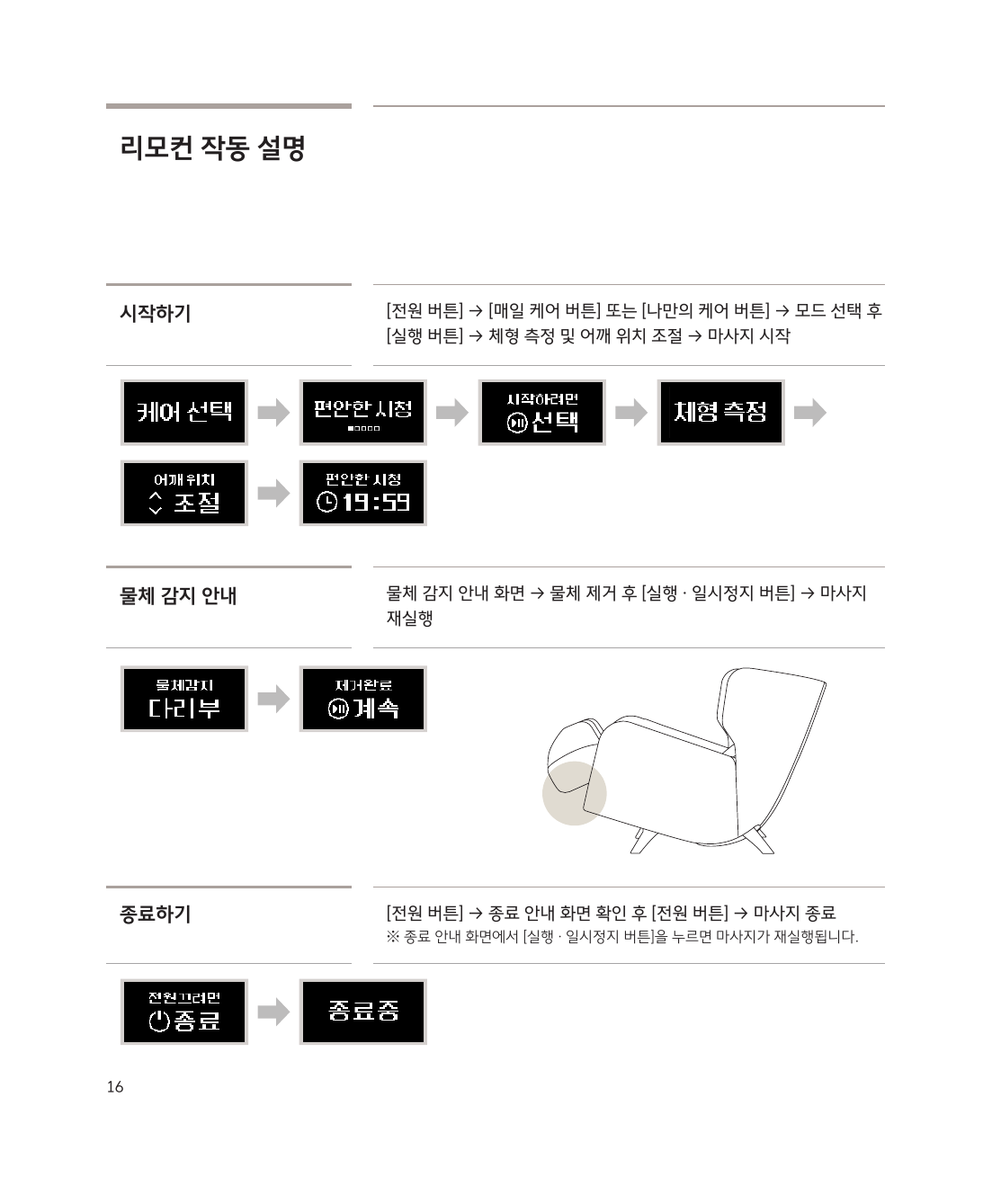
시작하기

전원 → 모드 선택 후 확인 → 체형 측정 → 어깨 위치 조절 → 마사지 시작

시작 및 종료 방법


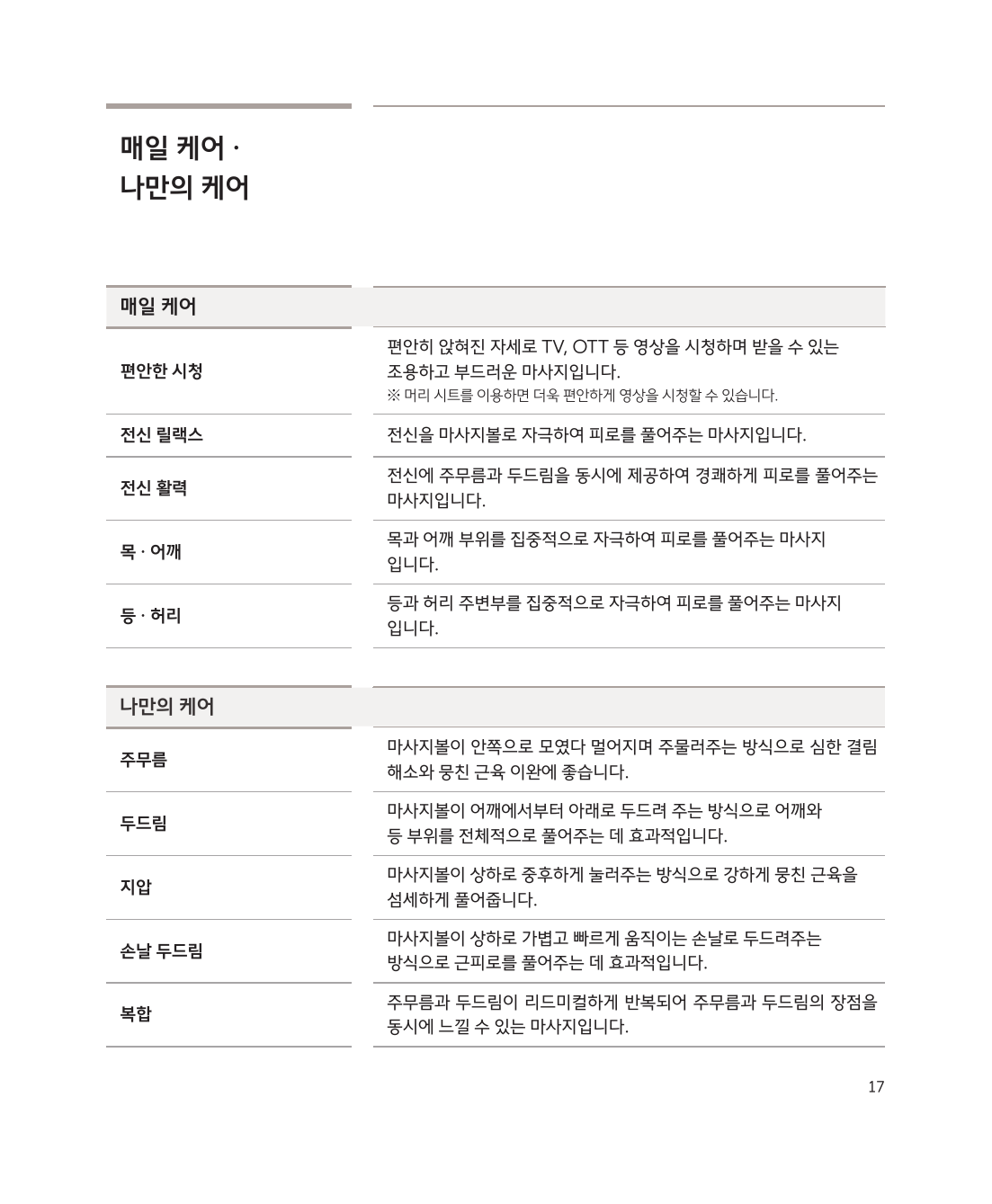
자동 프로그램

프로그램설명
로보케어AI 기반 맞춤 전신 마사지
헬스케어건강 관리 중심 마사지
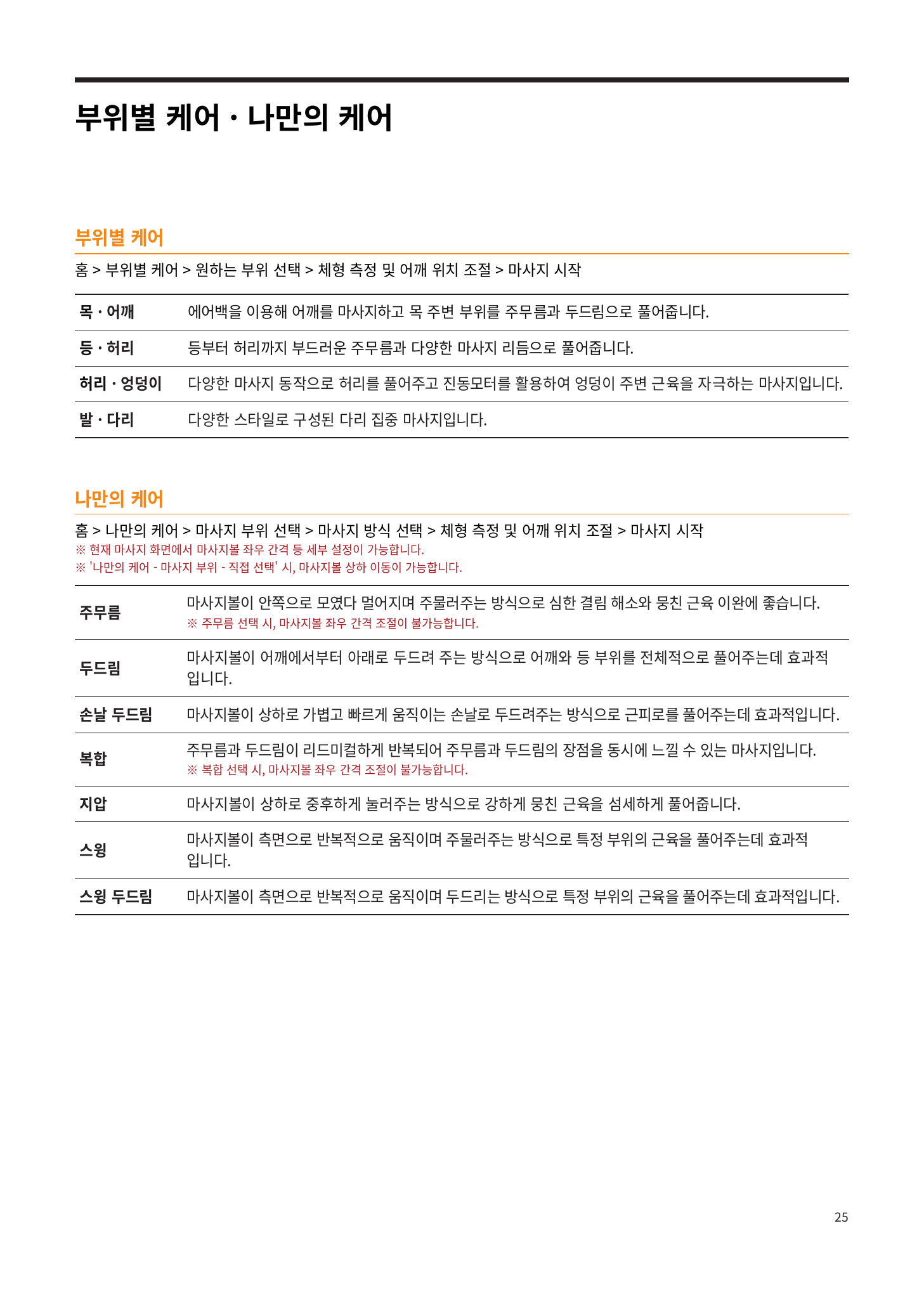
부위별 케어목·어깨·허리 등 원하는 부위 집중
매일케어가볍게 매일 받기 좋은 코스
나만의 케어마사지 부위·방식·강도를 직접 설정
멘탈케어심신 안정을 위한 릴랙스 모드

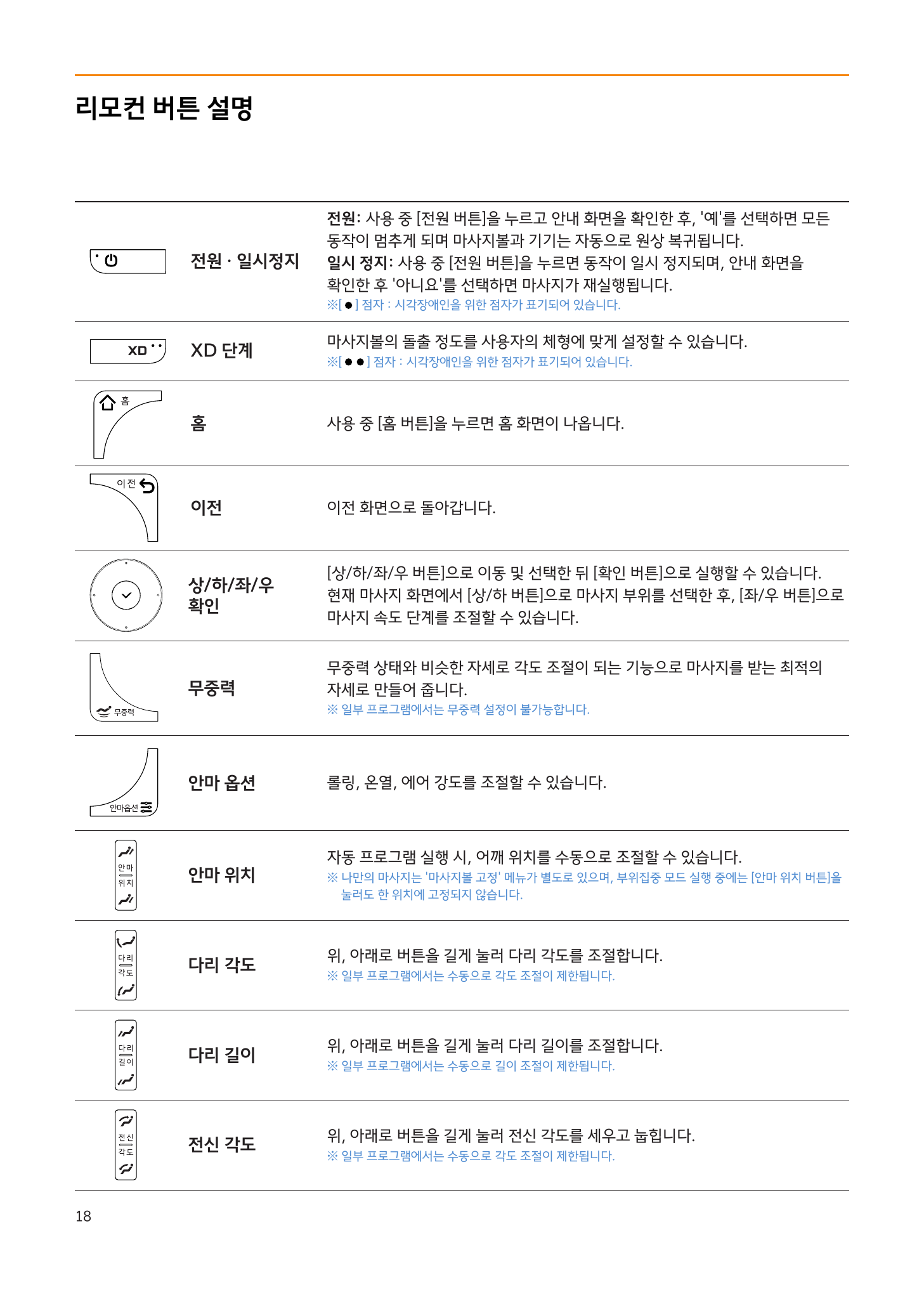
리모컨 주요 버튼

버튼기능
전원짧게 = 일시정지, 길게 = 종료
홈 화면으로 이동
상/하/좌/우 + 확인메뉴 이동 및 선택
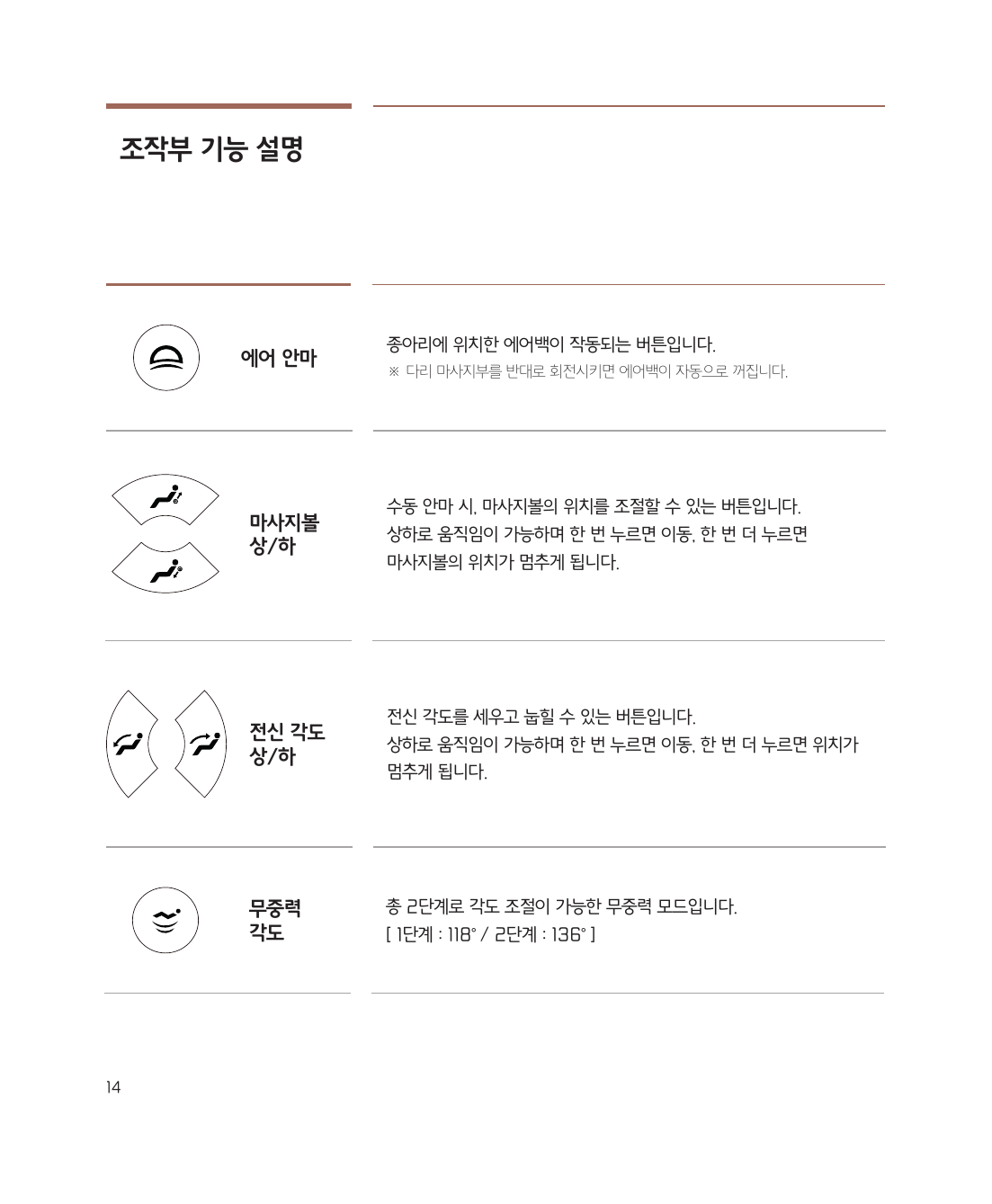
무중력마사지 최적 자세로 각도 조절
XD 단계마사지볼 돌출 강도 (체형 맞춤)
안마 위치어깨 위치 재조절
안마 옵션롤링·온열·에어 강도 조절
다리 각도/길이다리부 조절
전신 각도등받이 세우기/눕히기

리모컨 버튼 상세


마사지 속도 조절

마사지 중 상/하 버튼으로 부위 선택 → 좌/우 버튼으로 속도 조절


종료하기

전원 버튼 → 안내 화면에서 '종료' 선택 → 의자가 자동 복귀

주의: 의자가 완전히 복귀된 후에 내려오세요.

바디프랜드 팔콘i 사용법

전원 켜기

내측키(팔걸이 안쪽)에서 전원 버튼길게 눌러 전원을 켭니다.


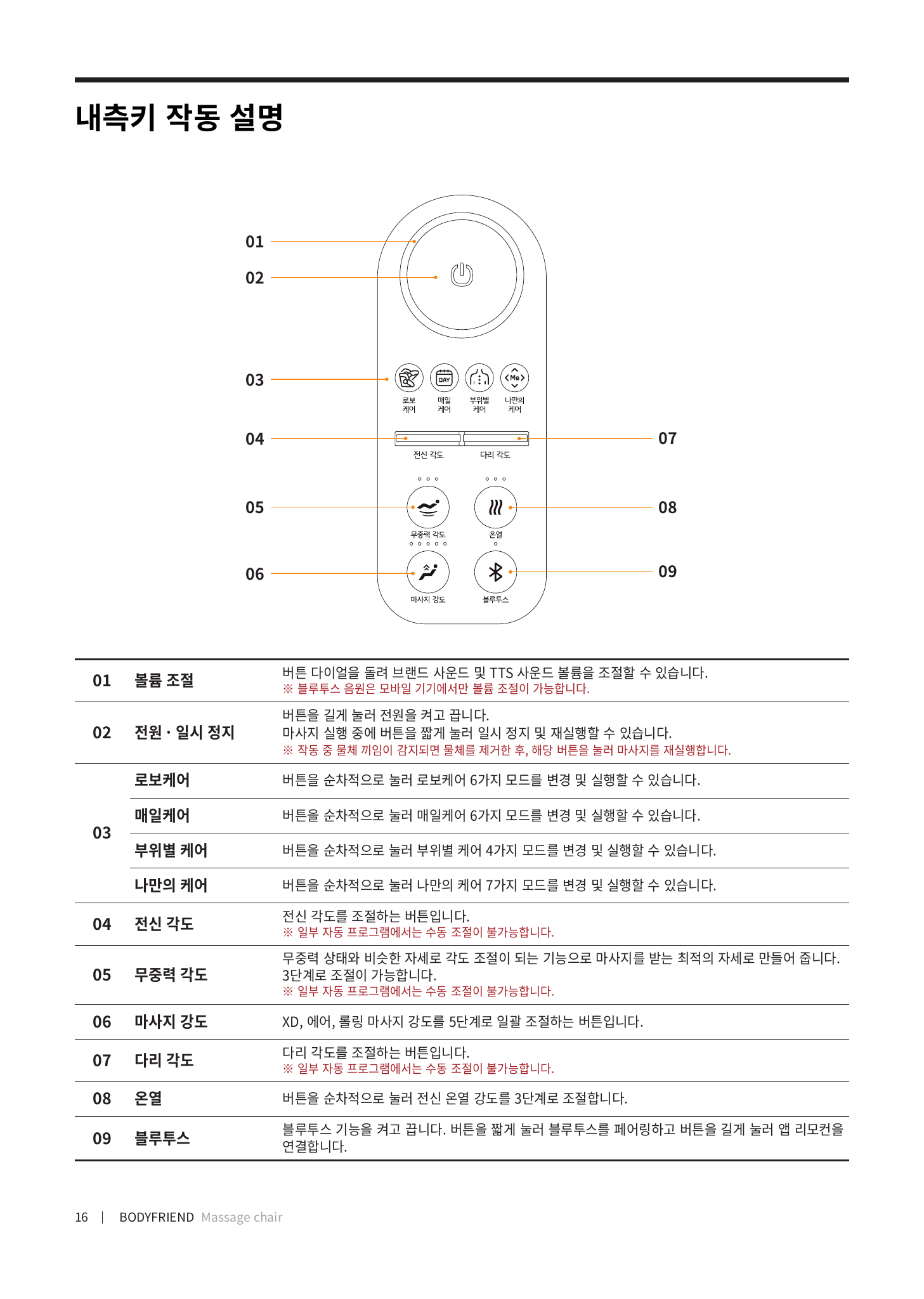
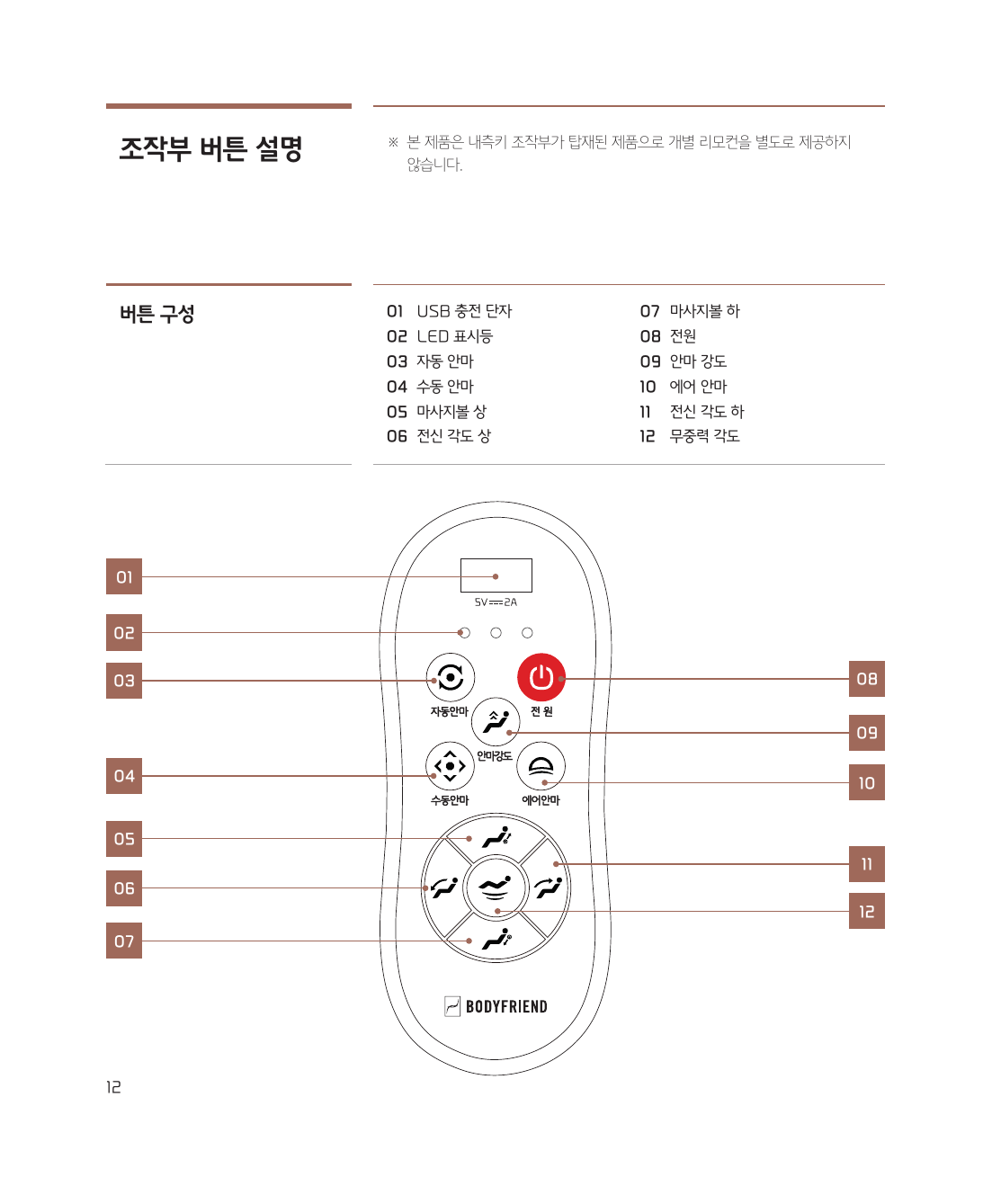
내측키 구성

내측키 상세 설명

버튼기능
전원길게 = ON/OFF, 짧게 = 일시정지/재시작
로보케어로보케어 6가지 모드 순환
매일케어매일케어 6가지 모드 순환
부위별 케어부위별 4가지 모드 순환
나만의 케어나만의 케어 7가지 모드 순환
전신 각도등받이 세우기/눕히기
무중력 각도무중력 자세 조절
마사지 강도XD·에어·롤링 강도 5단계
다리 각도다리부 올리기/내리기
온열전신 온열 3단계
블루투스짧게 = 페어링, 길게 = 앱 연결

앱 리모컨으로 이용하기

앱 리모컨 연결 방법

앱 없이도 내측키로 기본 조작이 모두 가능합니다.


자동 프로그램

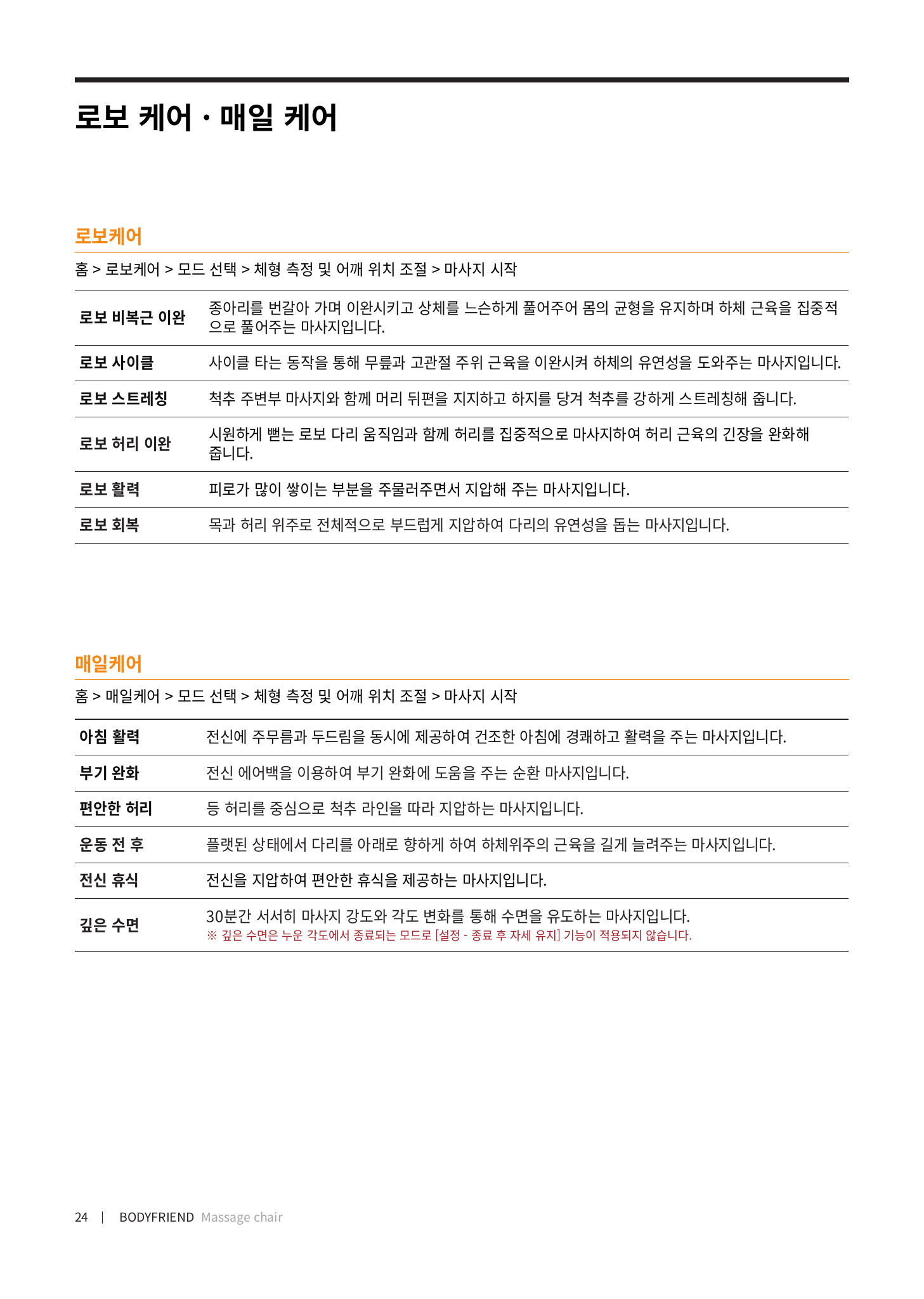
로보케어 (6가지)

로보케어·매일케어 프로그램

모드설명
로보 비복근 이완하체 근육 집중 이완
로보 사이클사이클 동작으로 하체 유연성
로보 스트레칭척추 스트레칭
로보 허리 이완허리 근육 긴장 완화
로보 활력뭉친 근육 주무름 + 지압
로보 회복부드러운 전신 지압 회복

매일케어·부위별 케어

부위별 케어·나만의 케어


종료하기

전원 버튼 → 안내 화면에서 '네' 선택 → 의자가 자동 복귀

주의: 의자가 완전히 복귀된 후에 내려오세요.

Bodyfriend Famille User Guide

Power On

Press the Power button on the side key (inside armrest).


Auto Massage (Recommended)

Press Auto Massage to cycle through 4 modes:

ModeDescription
Neck/ShoulderFocused neck & shoulder relief
Back/WaistBack and lower back care
Full Body RelaxGentle full-body massage
Full Body EnergyKneading + tapping combo

Manual Massage

Press Manual to cycle: Kneading → Tapping → Combined → Knife-hand → Acupressure


Key Buttons

ButtonFunction
PowerON/OFF
Auto4 auto programs
Manual5 massage styles
Intensity3 levels
AirCalf airbag ON/OFF
Zero GravityLevel 1 (118°) / Level 2 (136°)

Bluetooth Speaker

Search familie-xxx, password: 9999


Ending

Press Power — chair returns automatically.

Bodyfriend Famille S User Guide

Power On

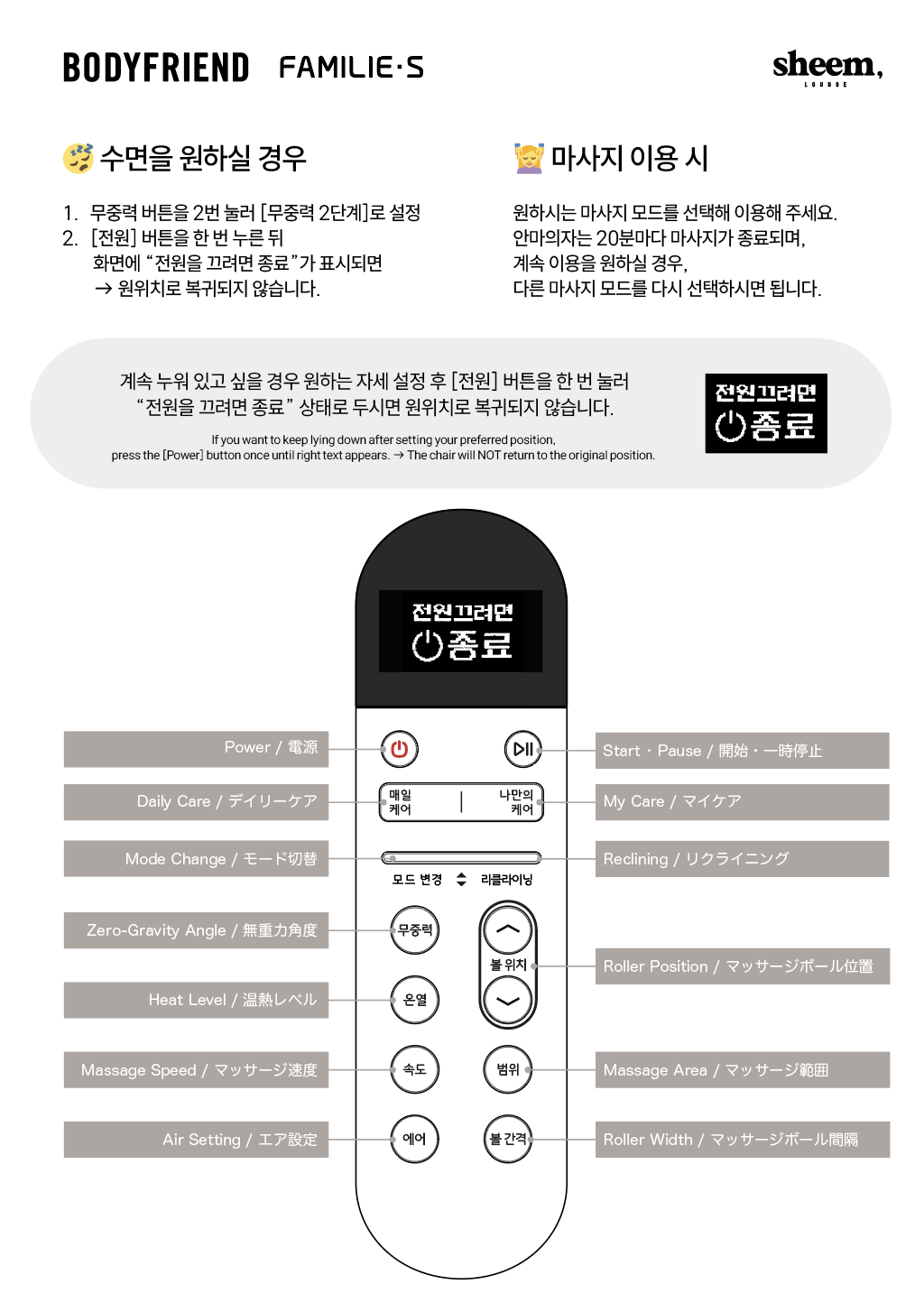
Press the Power button on the remote or side key.


Daily Care (Recommended)

Press Daily Care to select from 5 modes:

ModeDescription
Comfortable ViewingQuiet massage while watching TV
Full Body RelaxGentle full-body relaxation
Full Body EnergyKneading + tapping combo
Neck/ShoulderFocused neck & shoulder care
Back/WaistFocused back & waist care

Custom Care (Manual)

Kneading → Tapping → Acupressure → Knife-hand → Combined


Key Remote Buttons

ButtonFunction
PowerShort = end prompt, Long (2s) = instant off
Play/PauseStart/pause/resume
Daily CareCycle 5 daily modes
Custom CareCycle 5 manual modes
ModeUp/Down to change mode
Zero Gravity3-stage: ZG1 → ZG2 → Sit
Heat3-level heat

Bluetooth Speaker

Search FAMILIE S-xxxxxx to connect.


Ending

Press Power → Press Power again at prompt → Chair returns.

How to Use OSIM uDivine V

Turning On the Power

Press the controller's Power/Stop button to turn the power on.


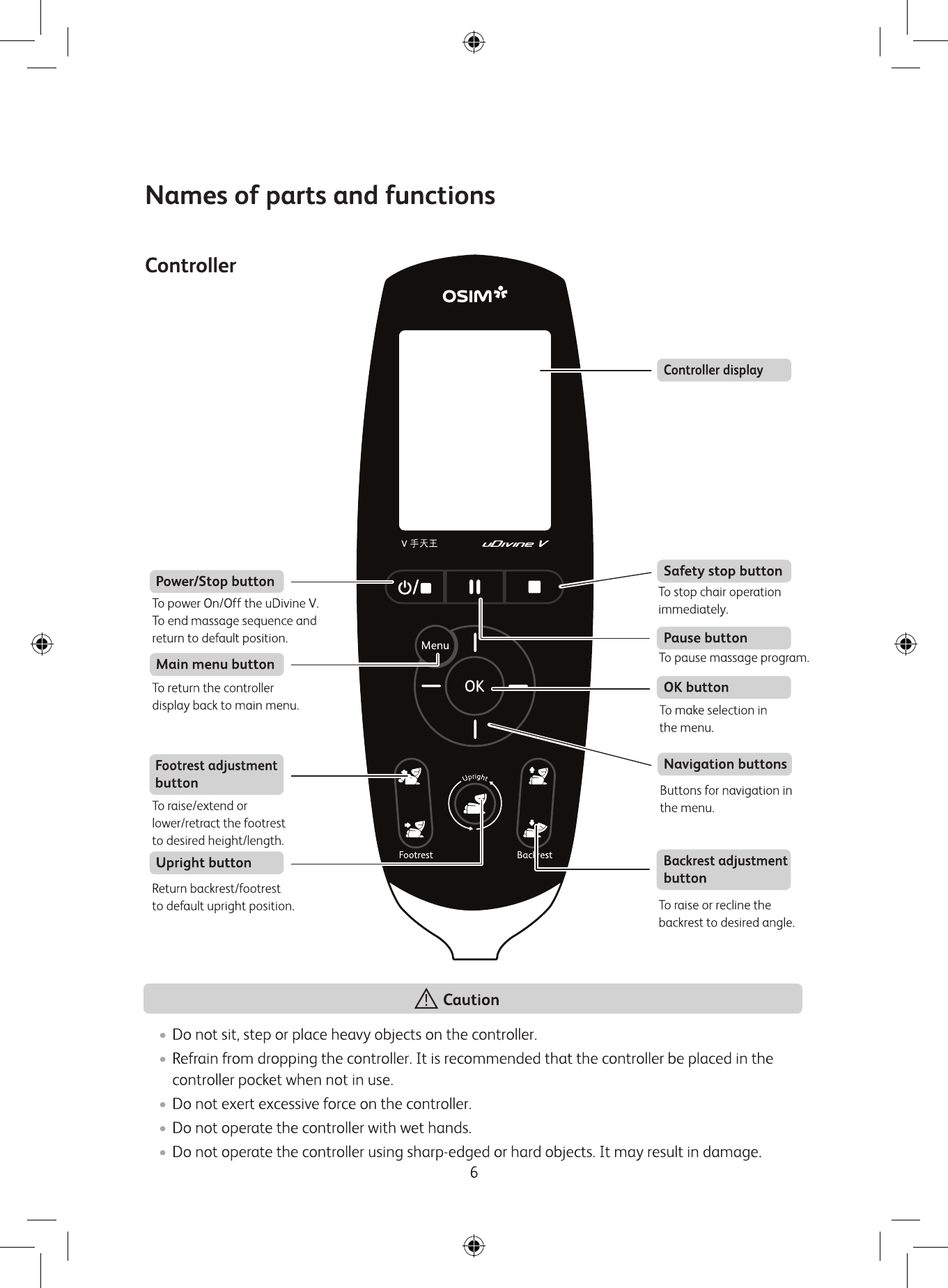
Controller Button Guide

Controller button layout

ButtonFunction
Power/StopPower ON/OFF, return to the original position when massage ends
Main MenuGo to the main menu screen
OKConfirm selection in menu
Navigation (Up/Down/Left/Right)Navigate menus
PausePause massage
Safety StopEmergency stop (immediately stops all movement)
FootrestAdjust footrest height/length
BackrestAdjust backrest angle (reclining)
UprightReturn backrest and footrest to the original position

How to Use

  1. Press the Power/Stop button to turn on the power
  2. Select the desired massage program on the controller screen
  3. Use the Navigation button to move and the OK button to select
  4. The massage starts automatically

Bluetooth Connection

Turn on Bluetooth on your smartphone and search for OS890-xxxxxxx to connect.

OSIM uDivine V App

App connection and controls

  • iOS: Download the OSIM uDivine V App from the App Store
  • Android: Download from Google Play
  • You can download massage programs and control functions in detail through the app

Ending the Session

Press the Power/Stop button to end the massage, and the chair will automatically return to its original position.
Caution: Please get off only after the chair has fully returned to its original position.